Are accessibility overlays good or bad?
You have probably seen accessibility buttons on websites. They usually sit in the corner of the screen and let people make text bigger, change colours, increase contrast or have content read aloud.
These tools are often called accessibility plugins, widgets or accessibility overlays.
They sound like a good idea. Add an overlay to your website, give people with disabilities more options and make your website more accessible.
Unfortunately, they are not as helpful as they might seem. Accessibility overlays do not make an inaccessible website accessible and can actually make your website harder for people with disabilities to use.
What is an accessibility overlay?
An accessibility overlay adds extra accessibility options on top of a website. It does not change the website itself. Overlays often let people change the size, colours or appearance of a website. Some also claim to automatically find and fix accessibility problems.
The problem is that many people who need these features already have their own accessibility settings or assistive technology. For example, someone with sight loss may use a screen reader, which reads information on the screen aloud. Someone with low vision may already use larger text, magnification or different colours across their device.
Your website needs to work with the tools people already use, rather than asking them to use a separate accessibility tool on every website they visit.
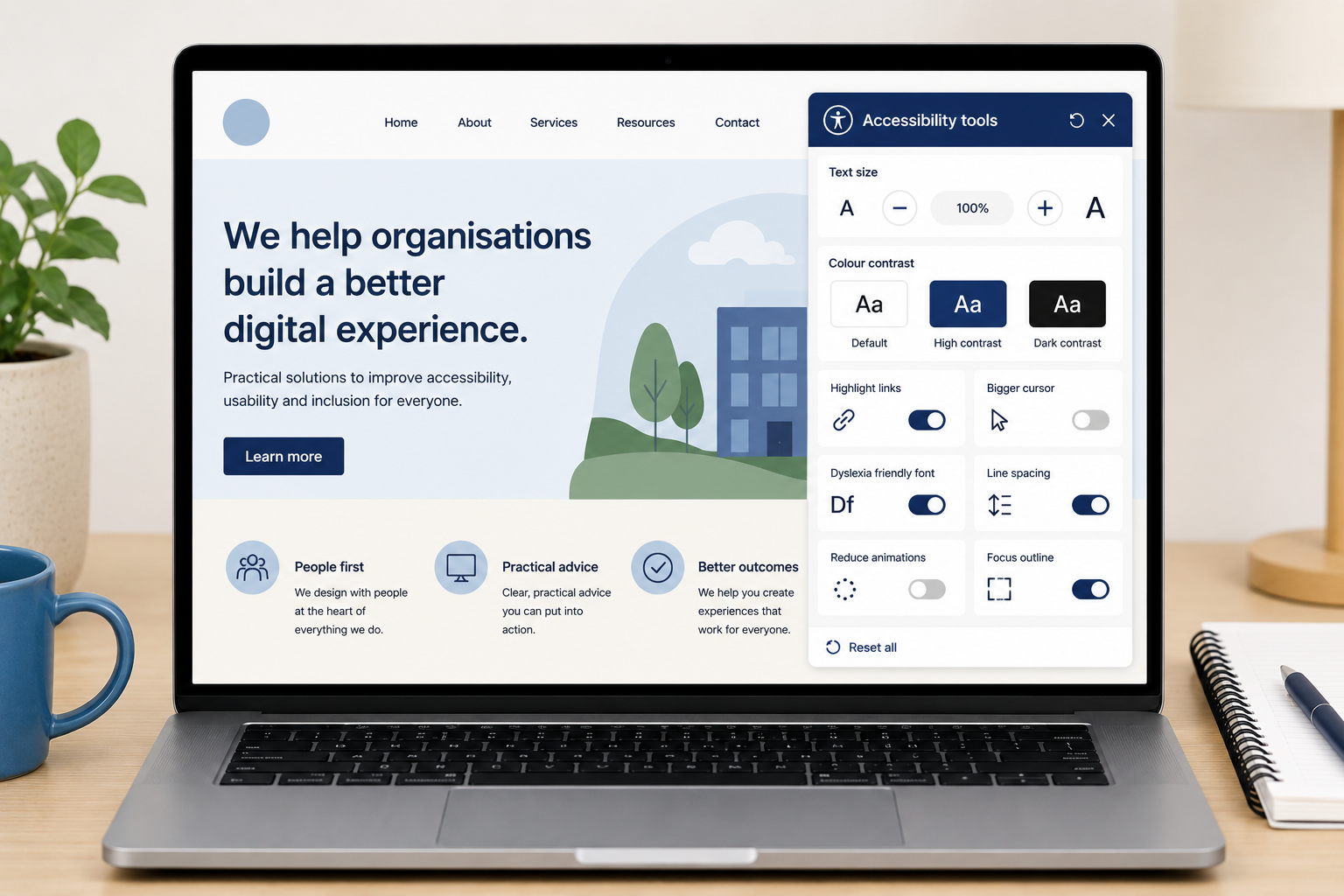
Can accessibility overlays make things worse?
Yes. Accessibility overlays add another layer of software to your website, which can interfere with someone's own accessibility settings or assistive technology. They can also cause parts of the website to break. For example, in our testing we have found overlays that cause text to overlap and become unreadable when someone increases the text size.
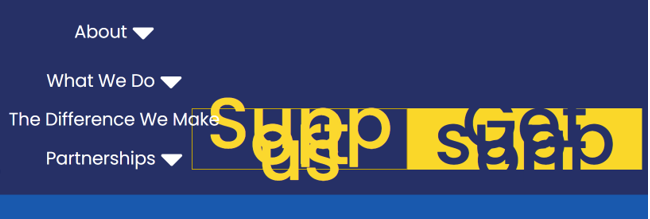
Example of a navigation breaking when text was enlarged with an accessibility overlay, from one of our recent website reviews.
They can also add extra buttons and menus for people to navigate. This means something added to improve accessibility can actually make the website more difficult to use.
Most importantly, the overlay does not fix the accessibility problems in the website itself. If your menu cannot be used with a keyboard, your form does not work properly with a screen reader or important information is shown only in an image, those problems are still there.
Do accessibility overlays make your website compliant?
Adding an accessibility overlay does not mean your website meets the Web Content Accessibility Guidelines (WCAG).
WCAG is a set of guidelines for making websites and digital content more accessible to people with disabilities. It covers everything from colour contrast and images to keyboard navigation, forms and the way a website is built. There is no single overlay that can take care of all of this for you.
This is one of the biggest risks with accessibility overlays. Seeing an accessibility button on your website can give you the impression that accessibility has been dealt with, while people with disabilities may still struggle to use it.
What should you do instead?
Make the website itself accessible.
For marketing and communications teams, that means things like using clear headings, writing useful link text, adding good alternative text to images, checking colour contrast and adding captions to videos.
Your designers and developers can make sure the website itself works with keyboards, screen readers and other assistive technology. Accessibility testing can then help you find problems that have been missed.
The best approach is to build accessibility into your content, design and development so people can use your website with the tools and settings that already work for them.
You may be paying for a tool that does not fix the accessibility problems with your website. That money could be better spent finding and fixing the problems themselves.
Don’t give the impression that accessibility is an afterthought. Adding a button is not the same as making your website accessible.
If you are not sure how accessible your website is, we can help. We provide accessibility audits to find problems and explain how to fix them, as well as accessibility training to help your team create more accessible content. Contact us.